

How to access dark mode
ProofHub allows you to customize the appearance of the interface by switching between light mode, and dark mode or automatically adapting to your system settings.
-
Access mode settings:
-
Click on your profile icon located at the bottom left corner of the ProofHub interface.\
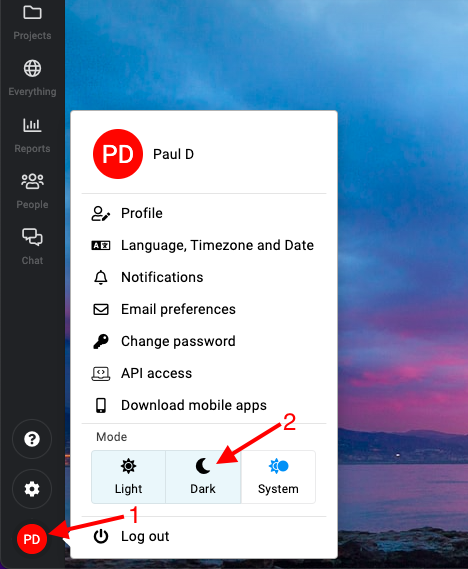
Dark Mode in ProofHub
-
-
Select mode option: Under the “Mode” option, you will see three choices:
-
Light: Select this option to switch to light mode.
-
Dark: Select this option to switch to dark mode.
-
System: Select this option to automatically adapt to your system settings.
-
-
Apply the mode:
- Your selected mode will be applied immediately, changing the appearance of the ProofHub interface accordingly.
Last updated today
Built with Documentation.AI