

How to view activity logs
The activity logs in ProofHub is a comprehensive record of all updates made to your account data, including who performed each activity.
View logs
-
Manage section: Select the “View logs”.\
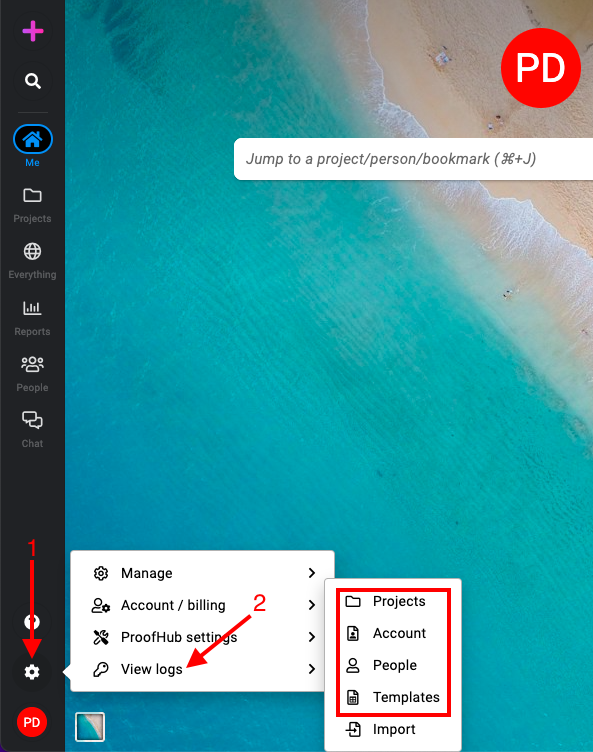
-
Activity logs are divided into four categories:
-
Account
-
People
-
Projects
-
Templates
-
Filter logs
-
Click on the filter icon in the top-right corner of the activity logs page.
-
Select filters: Depending on the category you have selected, different filters will be available.\
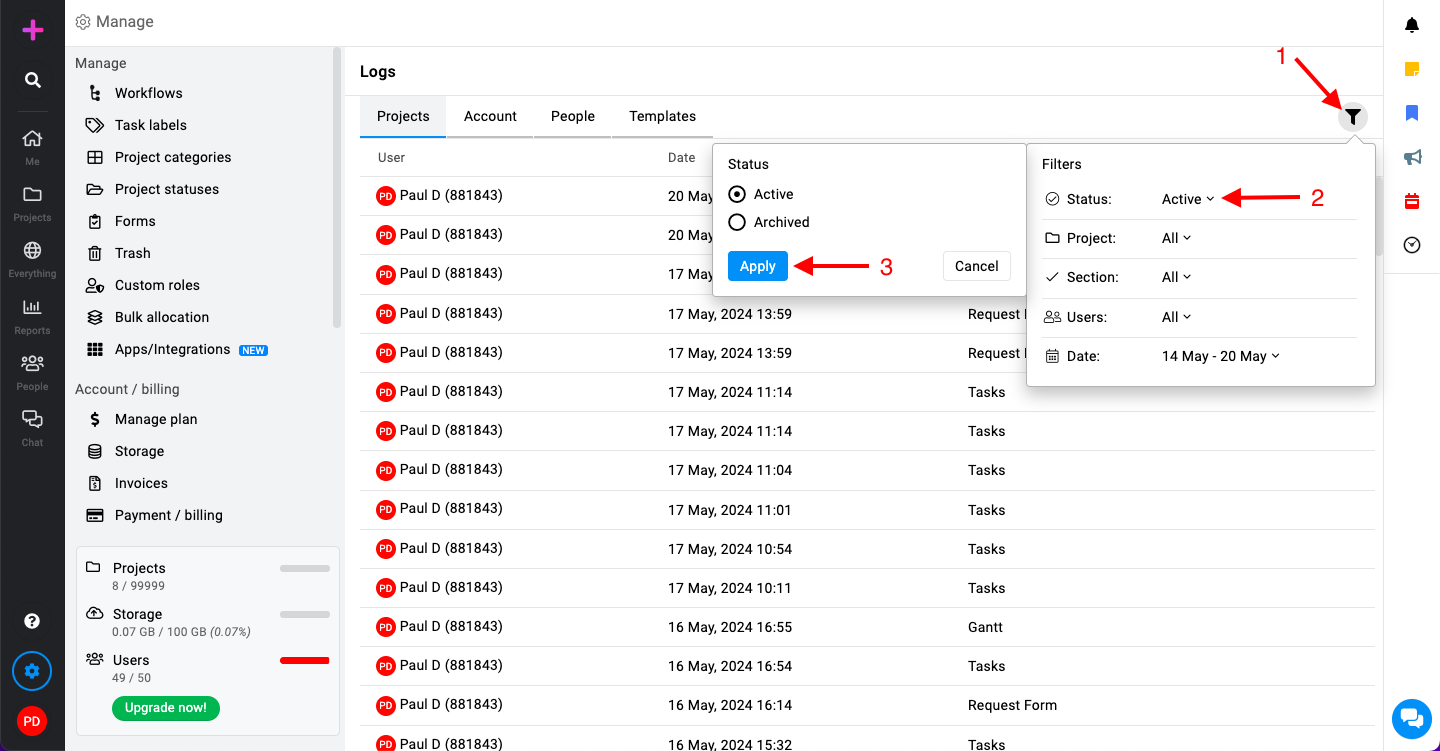
For the Projects category, you can use the following filters:-
Status: Filter activities by project status (e.g., Active).
-
Project: Select specific projects to filter the activities.
-
Section: Filter activities by different sections within the projects.
-
Users: Filter activities by specific users.
-
Date: Filter activities within a specific date range.
-
-
Apply filters: Select the desired filters and click “Apply” to narrow down the activity logs based on your selected criteria.
Last updated today
Built with Documentation.AI