

How to upload files via email-in
ProofHub allows you to upload files via email too.
\
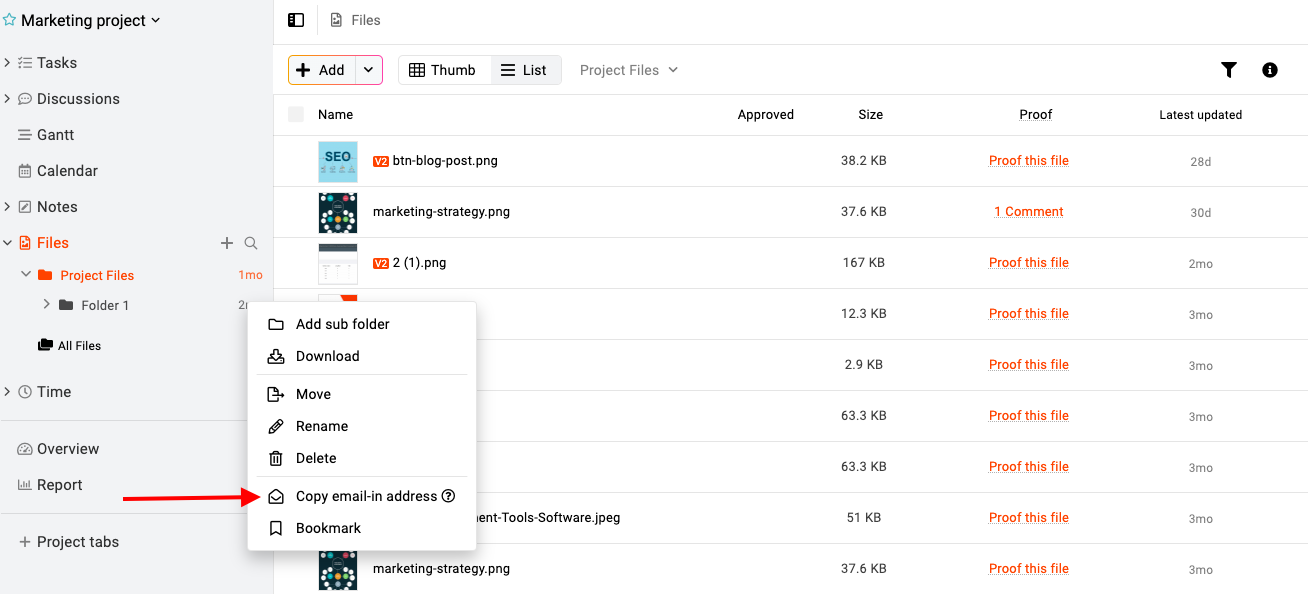
-
Right-click on the folder or click on the three dots and select “Copy email-in address”. The email-in address will be copied to the clipboard and you can save it in your emailing system.
-
Compose an email, paste the email-in address in the recipient field and attach the file to that email.
-
Click “Send” and you will be able to upload files via email.
Last updated today
Built with Documentation.AI