

Save chat messages
ProofHub’s save chat feature allows you to save important or noteworthy conversations that you have with individuals or groups. Saved messages are stored in a separate window dedicated to organizing and accessing them later.
Saving messages can be beneficial for:
-
Keeping track of essential details.
-
Referring back to previous conversations.
-
Sharing information with others.
Saving messages in One-on-One Chats
\
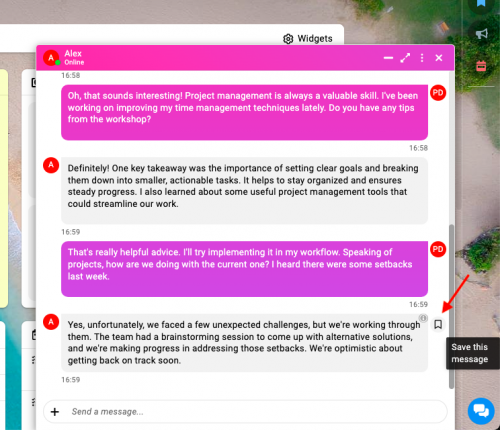
-
Locate the message you want to save within the chat.
-
Hover over the message and click on the “Save” icon to save the message.
Saving messages in Group Chats
\
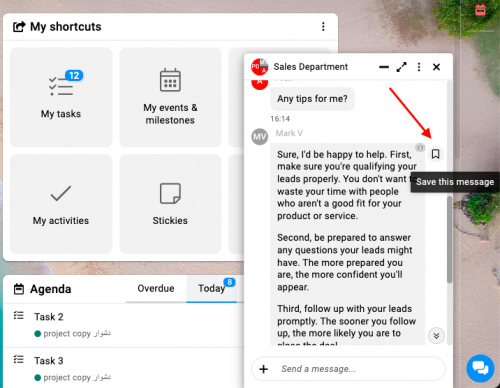
-
Locate the message within the group conversation that you wish to save.
-
Hover and click: Click the “Save” icon to save the message.
Accessing saved messages
-
Click on the ‘Saved Messages’ option located at the top of your chat list, above all your other chats.\
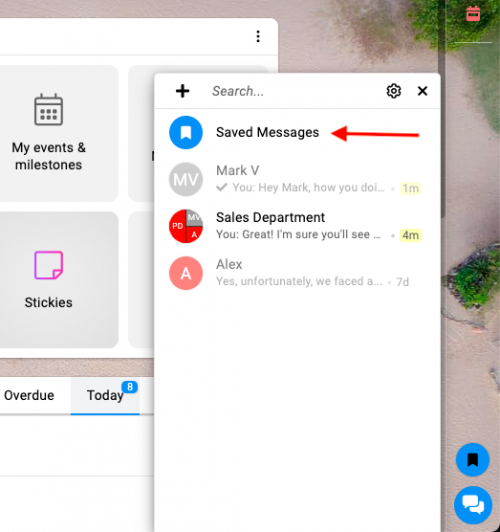
access saved messages 1 in ProofHub -
A list of all your saved messages will be displayed.\
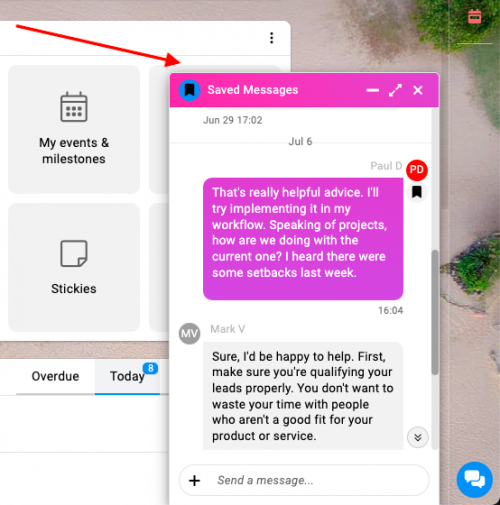
Access saved messages 2 in ProofHub
Removing saved messages
-
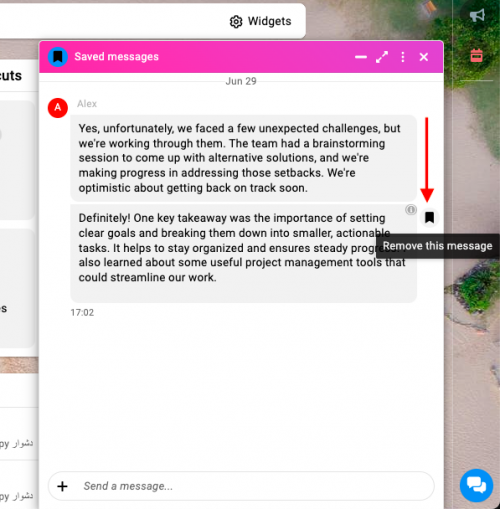
Locate and hover over the message you wish to remove from your saved messages.\
removed saved messages 1 in ProofHub -
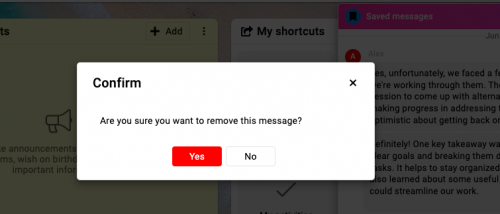
Confirm removal: Click the “Unsave” icon to remove the message from your saved messages.\
confirm removal of message in ProofHub
Note: You can also save media messages in addition to text messages.
You can delete saved messages at any time.
Last updated today
Built with Documentation.AI