

How to manage a plan
Managing your ProofHub subscription plan is straightforward and allows you to adjust your billing cycle and choose the plan that best fits your needs.
Manage plan
-
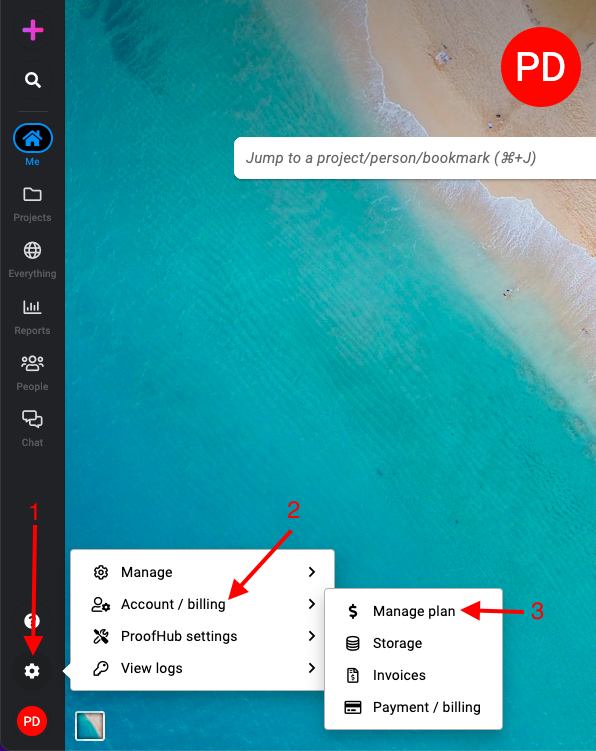
Manage section: Select the “Account/billing” section and select “Manage plan“.\
-
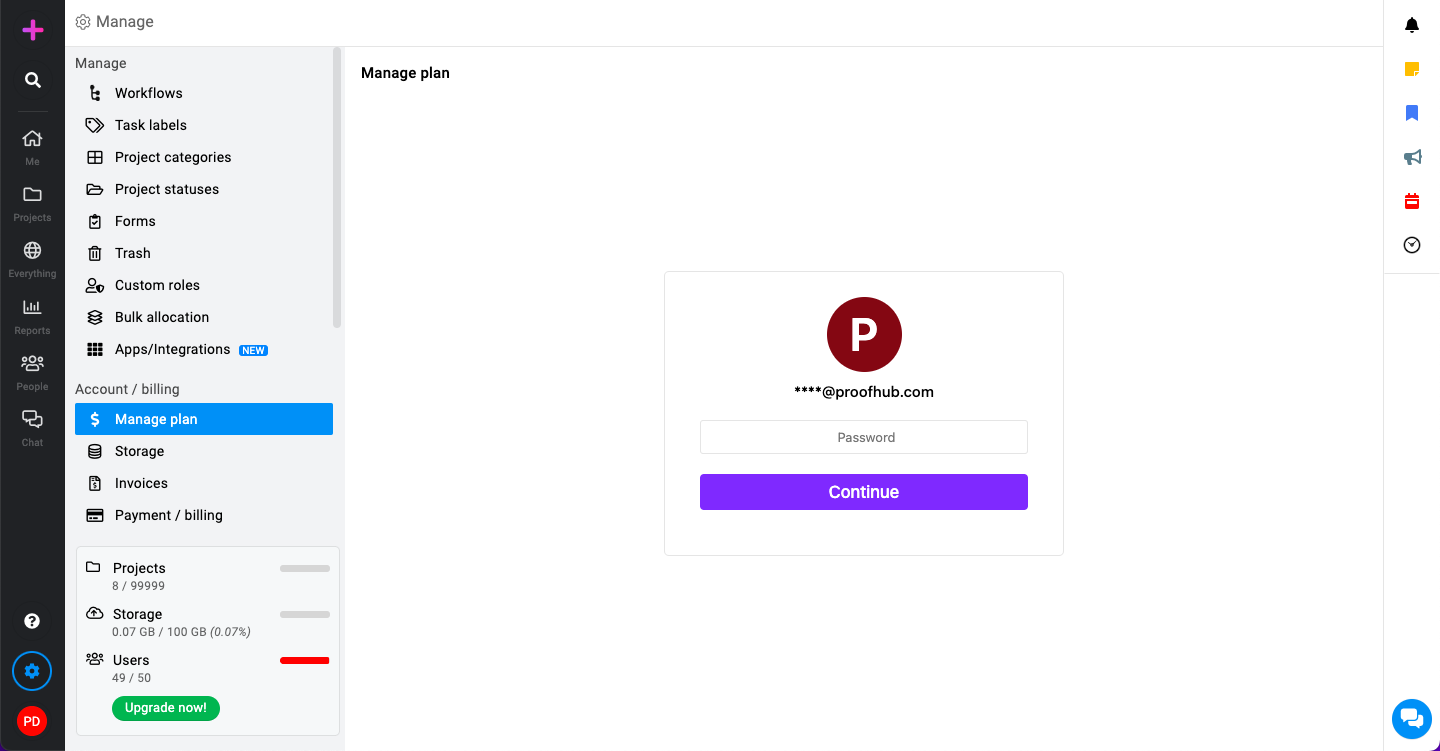
Authentication required: Type in your current password to proceed.\
-
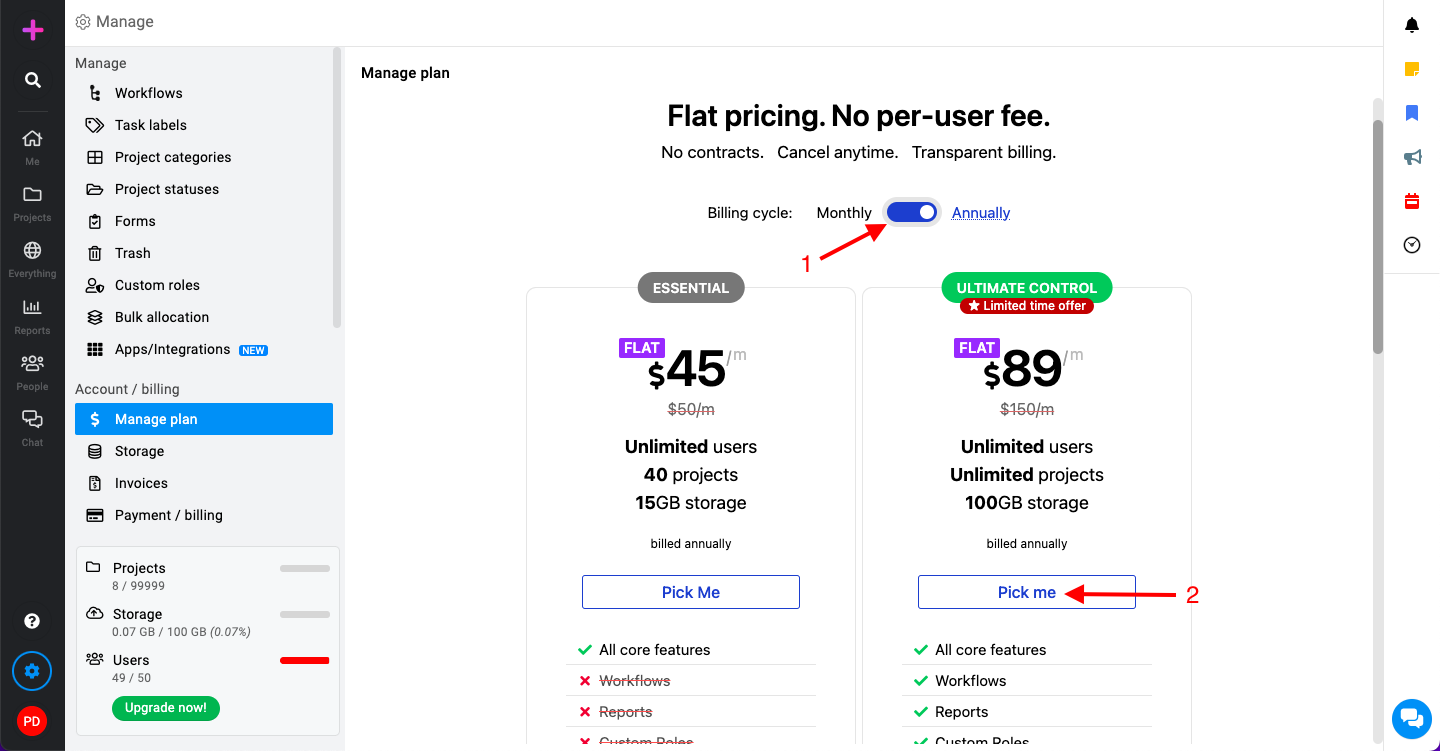
Selecting your billing cycle: You will be given two options for the billing cycle: Monthly or Annually.\
-
Click on “Pick me” to proceed further.
Storage
ProofHub offers cloud storage for your projects, allowing you to:
-
Centralize files: Store all project-related documents, images, and videos in one place, accessible to your team.
-
Easy collaboration: Team members can upload, share, and collaborate on files directly within ProofHub, eliminating the need for scattered storage solutions.
-
Version control: Track changes made to files and revert to previous versions if needed.
This centralized storage streamlines project communication and keeps everything organized for your team.
-
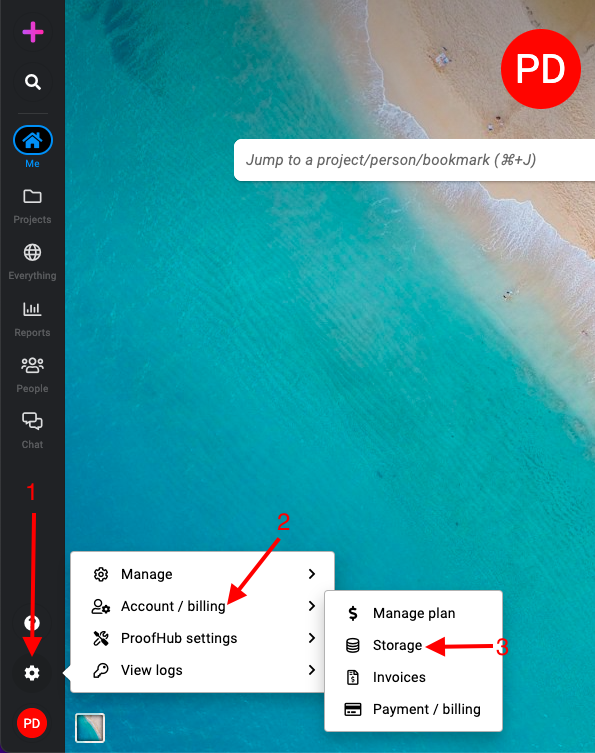
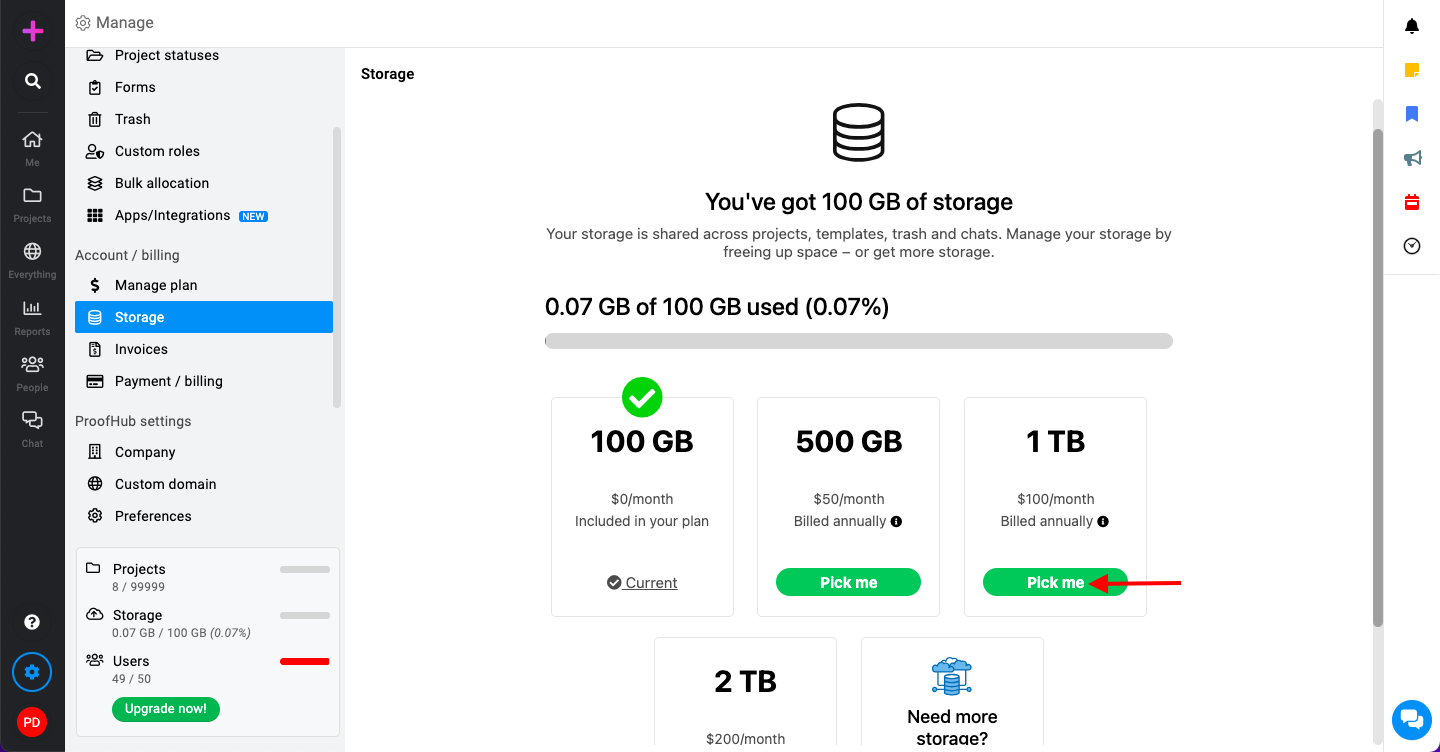
Manage section: Select the “Account/billing” section and select “Storage“.\
-
Review available storage options: You will see a list of available storage capacities with different pricing.\
Invoices
-
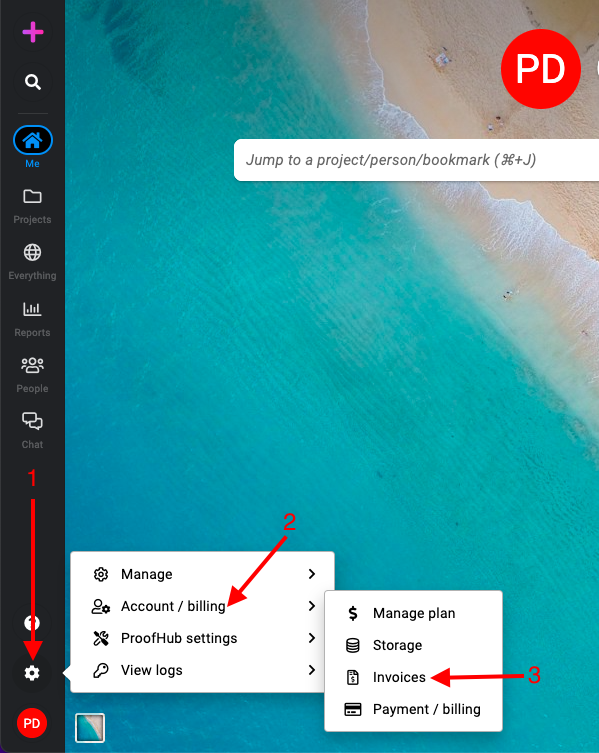
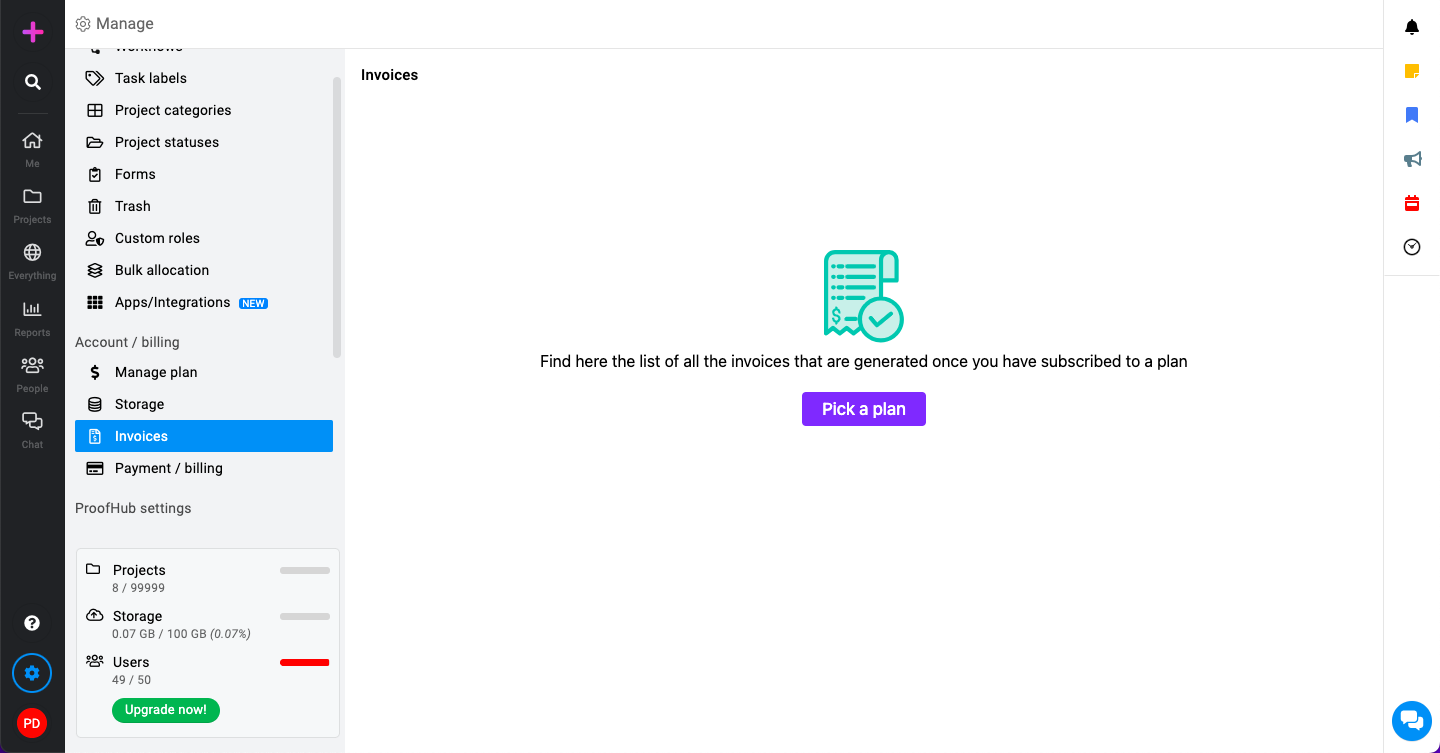
Manage section: Select the “Account/billing” section and select “Invoices“.\
-
View or download invoices: Click on the invoice you want to view. You can then download it for your records.\
Payment and billing
-
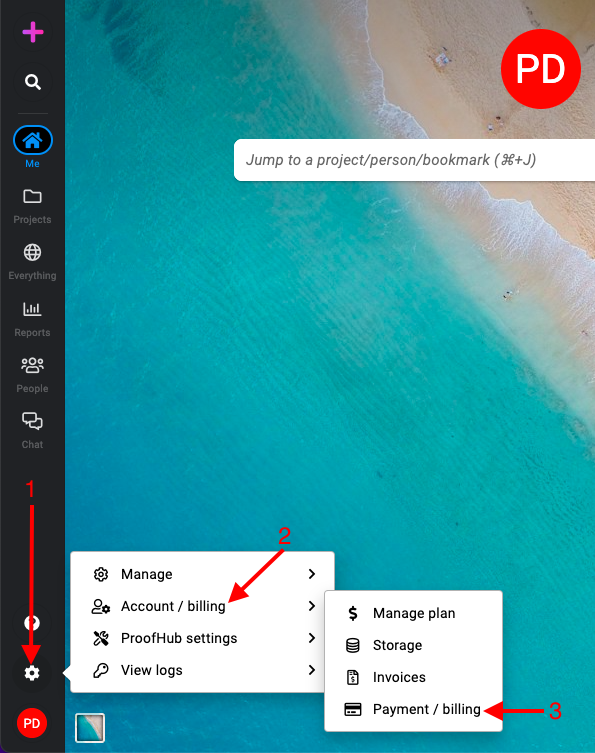
Manage section: Select the “Account/billing” section and select “Payment/billing“.\
-
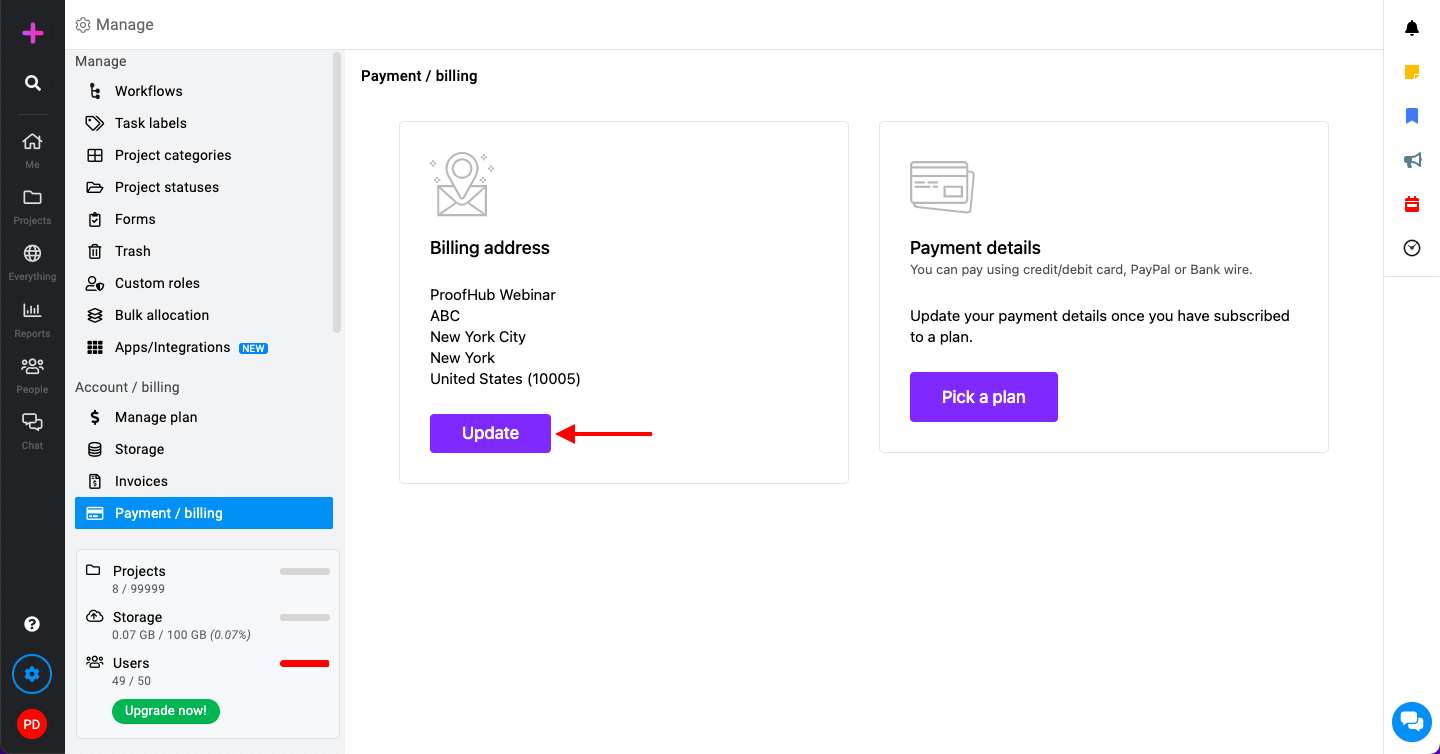
Managing billing address:\
-
Click on the “Update” button next to the billing address section.
-
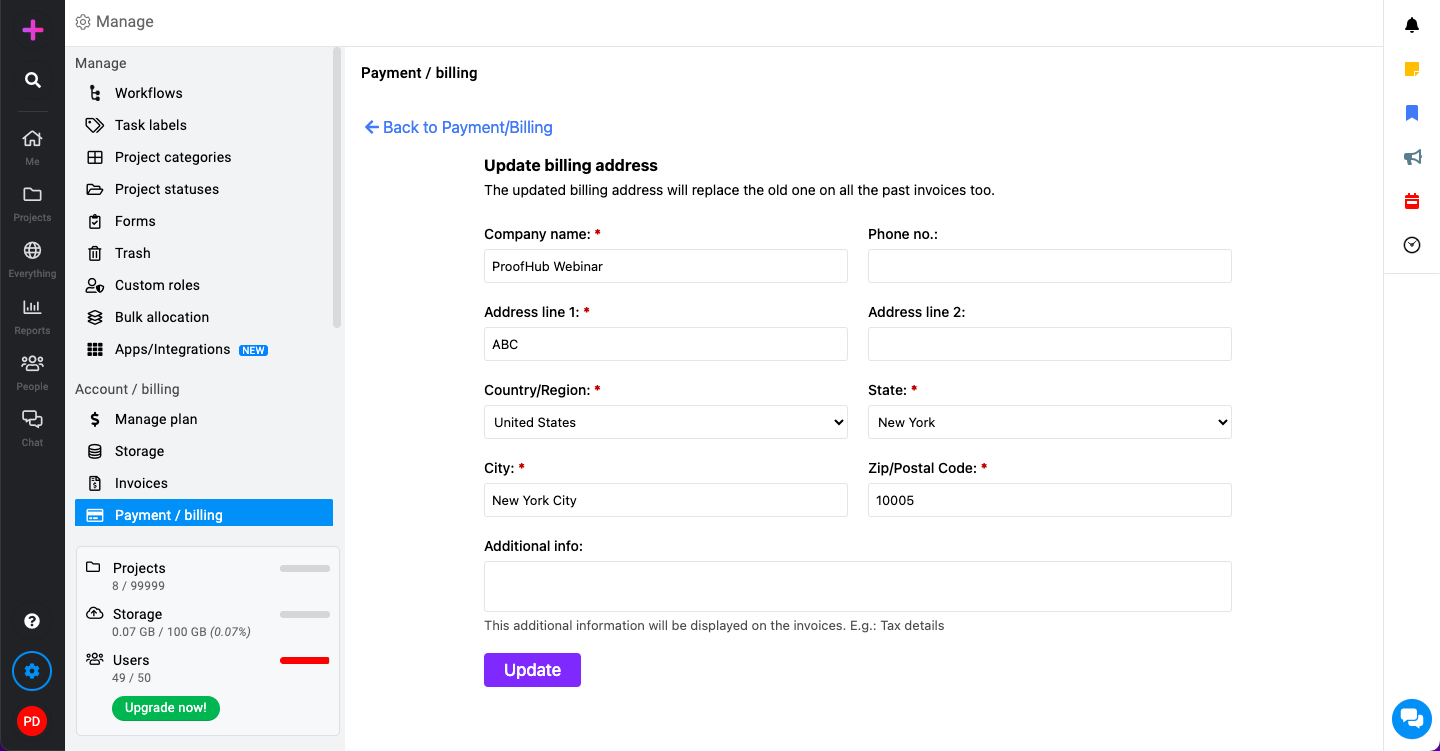
Fill in the required billing address details, including street address, city, state, postal code, and country.\
-
Click on the “Update” button to save your new billing address.
-
-
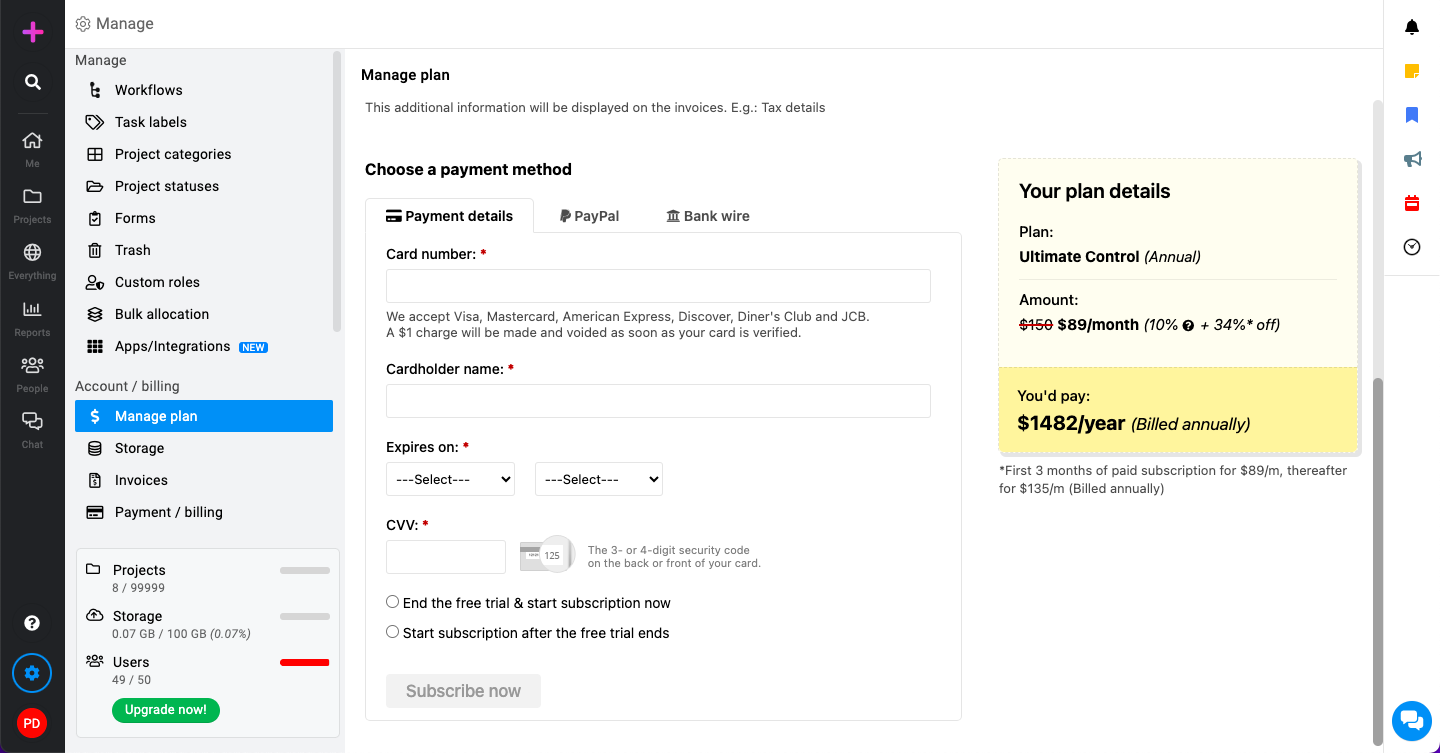
Managing payment details:\

Ensure your billing address is up-to-date and correctly entered.\

Select your preferred payment method from the available options:\
-
Subscription start option:
-
End the free trial & start subscription now: This option will immediately start your paid subscription.
-
Start subscription after the free trial ends: This option will start your subscription once your free trial period is over.
-
-
-
Click on the “Subscribe now” button to start your subscription.
Last updated today
Built with Documentation.AI