

How to view task dependency
Task predecessors and successors in ProofHub allow you to establish dependencies between tasks, facilitating efficient project management and workflow coordination.
Visualizing predecessor and successor:
-
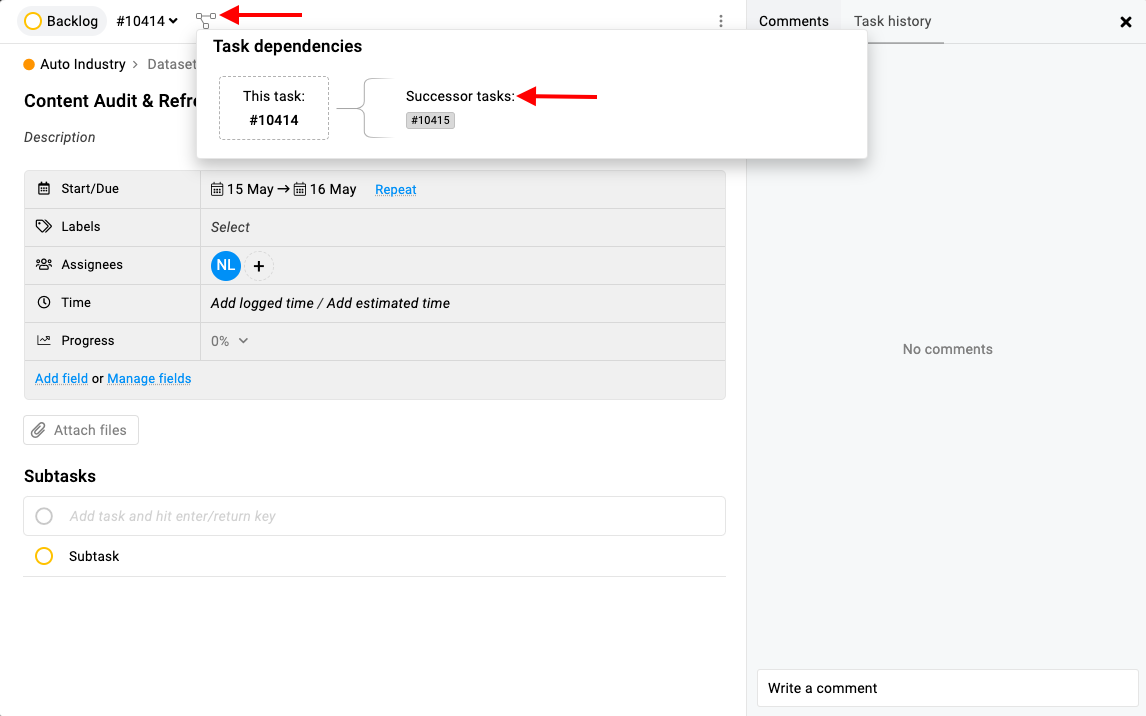
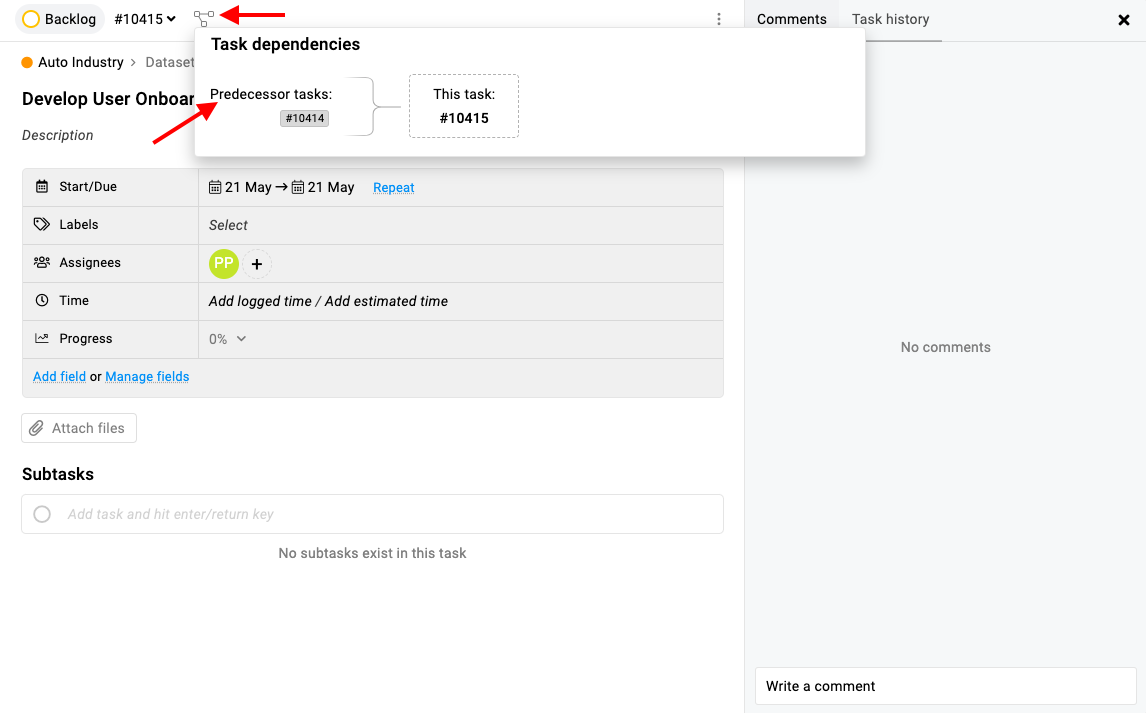
Click on the icon within the task window to visualize the predecessor and successor task view.
-
This feature provides a graphical representation of task dependencies, enhancing understanding and coordination among project tasks.
Note: Dependency can be set from Gantt only.
Email notifications for task completion:
-
When a task is completed (predecessor task), subscribers assigned to the successor task will receive email notifications.
-
This notification informs team members that the successor task can now proceed, ensuring timely task progression within the project workflow.
Last updated today
Built with Documentation.AI