

How to change your password
-
Access change password settings: Click on your profile icon located at the bottom left corner of the ProofHub interface and select “Change password“.\
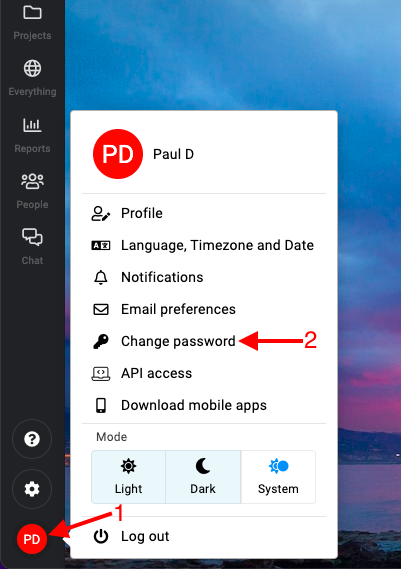
Change Password in ProofHub -
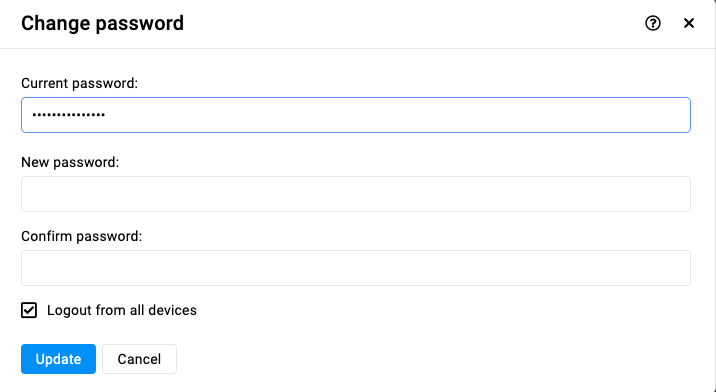
Enter password:\
-
Enter your current password.
-
Enter your new password in the “New password” field.
-
Confirm your new password by entering it again in the “Confirm password” field.
-
-
Logout from all devices:
- If you want to log out from all devices, check the option “Logout from all devices“.
-
Save new password:
- Click the “Update” button to change your password.
Last updated today
Built with Documentation.AI