

How to download and move notes
Download a note
-
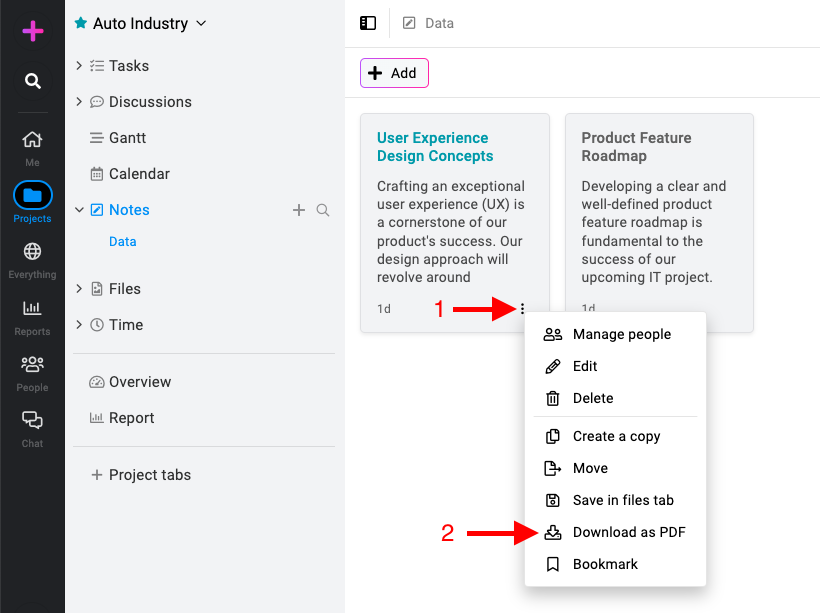
Access download options: Click on the three dots icon or right-click on the note and select “Download as PDF“.\
Moving notes to files
-
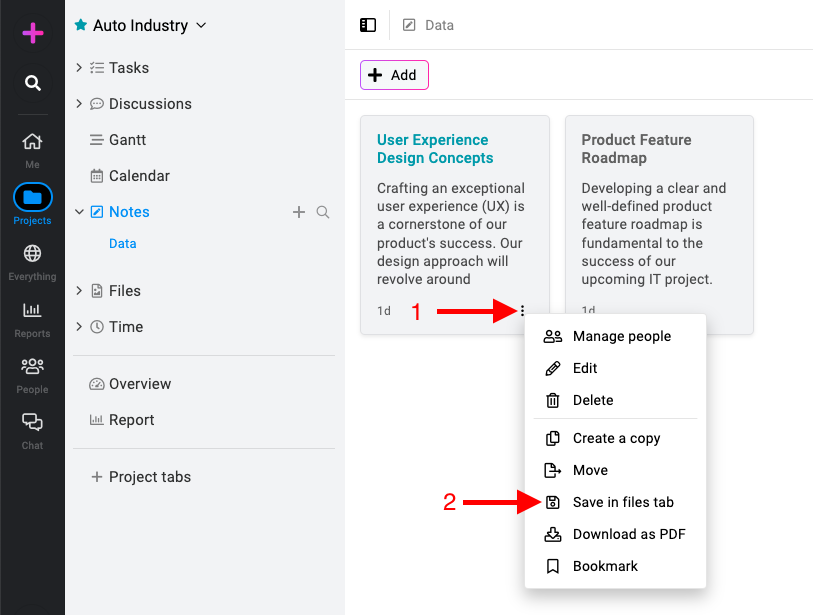
Save in files tab: Click on the three dots icon or right-click on the note and select “Save in files tab“.\
-
Access the saved PDF: Go to the files section of the project where you saved the note. Look for the PDF file corresponding to your note.
Note: You won’t be prompted to download the PDF immediately. Instead, the note will be saved as a PDF file in the files section of the project, allowing you to access it later from there. This can be convenient for organizing and storing your notes within ProofHub.
Last updated today
Built with Documentation.AI