

How to use email-in in discussions
ProofHub’s email-in feature allows you to post comments while you are on the go, without the need to access your account. Each topic of discussion in ProofHub has a unique email address that can be saved and used later for posting comments on discussion topics.
Comment via email-in
-
Click the three dots or right-click on the topic.\
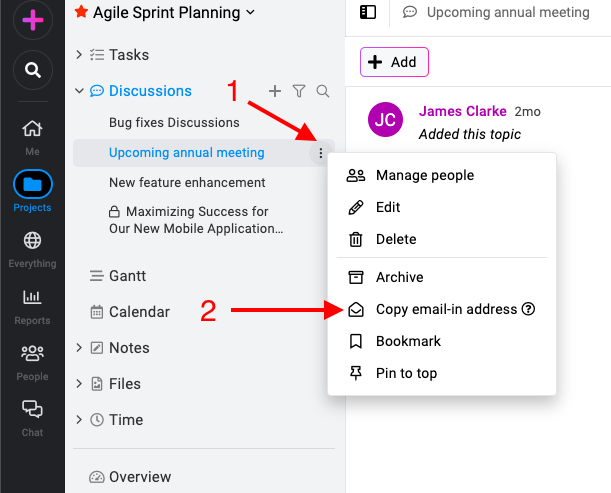
ProofHub's comment via Email-in -
Select “Copy email-in address” and the email address will be copied to the clipboard.\
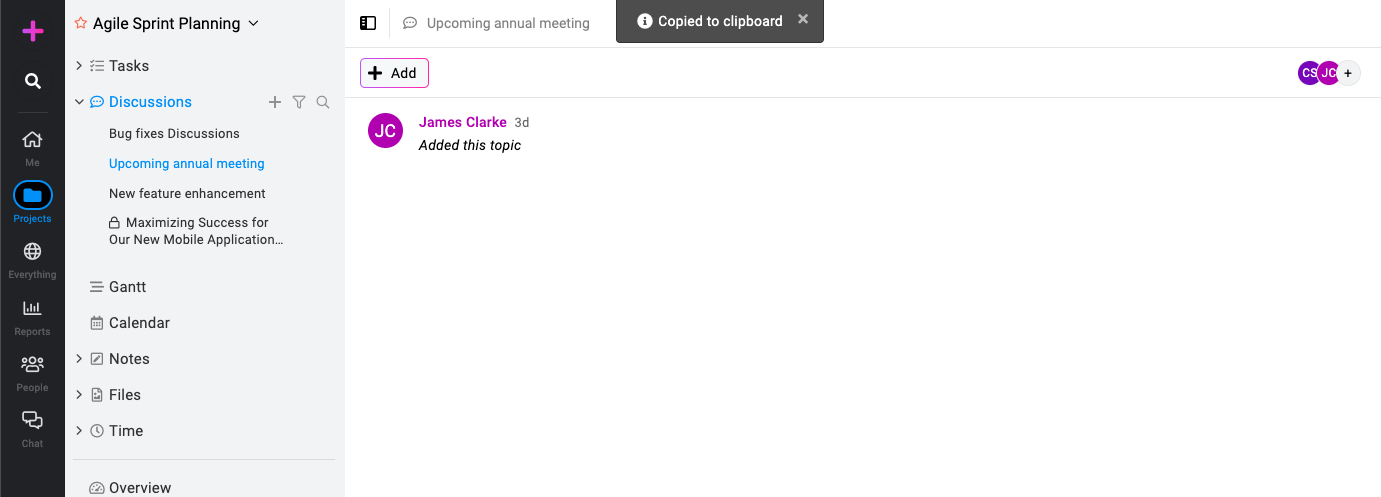
-
Compose an email using your emailing service and paste the email-in address in the recipient field and type your comment in the body of the mail. Click “Send” and your comment will be added to the discussion topic.
Reply via email-in
ProofHub keeps you notified with emails whenever someone adds a comment to a discussion. You can simply reply directly to that notification email to add your own comment to the conversation – no need to log in.
Note: For private discussions, only assigned members have the ability to comment and reply via email-in. This ensures discussions with sensitive information remain secure.
Last updated today
Built with Documentation.AI