

How to archive and unarchive task lists
Archive a task list
-
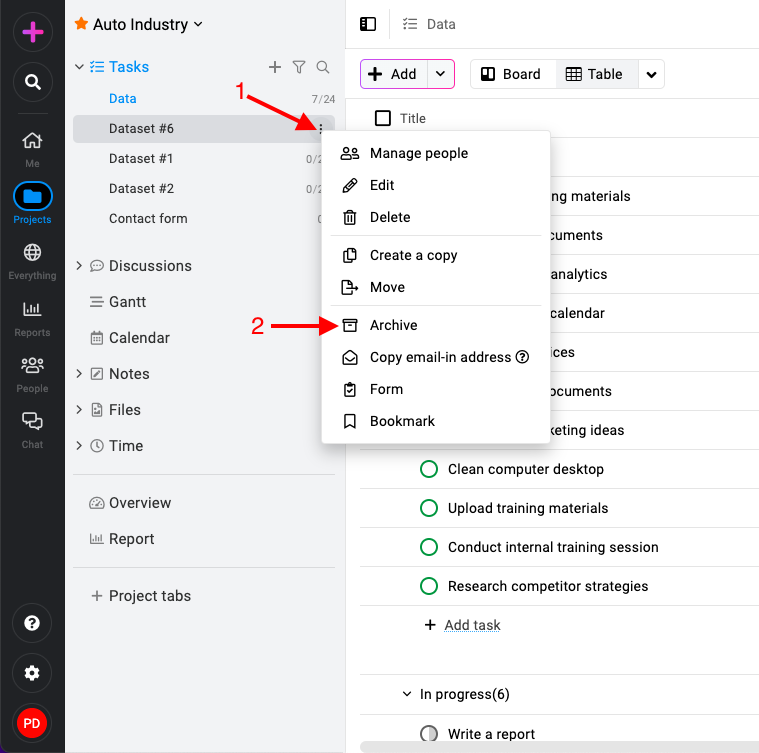
Select the task list: Click on the three dots icon or right-click on the task list and select “Archive“.
-
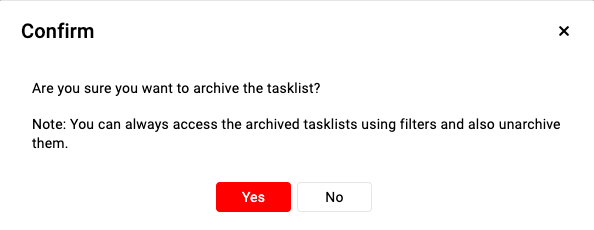
Confirm archive: Select “Yes” to confirm and proceed with archiving the task list.
Unarchive a task list
-
Navigate to the tasks section: Open the specific project where the archived task list is located and click on the “Tasks” section.
-
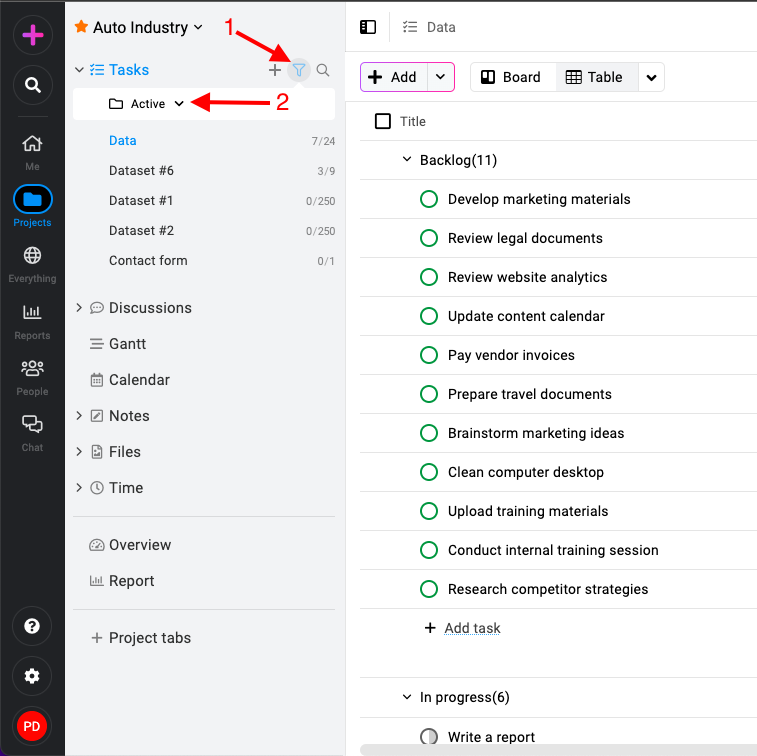
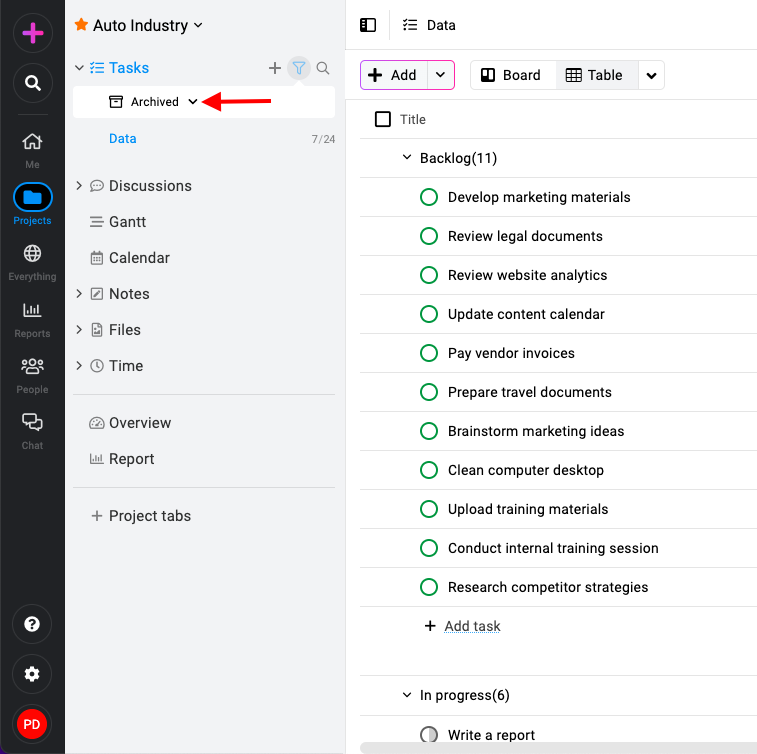
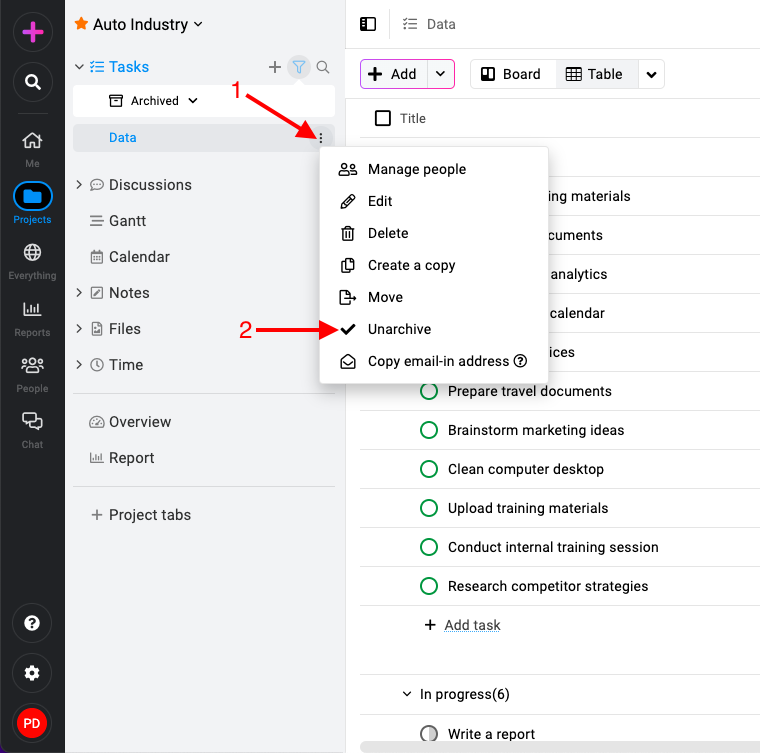
Apply task list filter: Locate the filter icon next to the “Tasks” section name. Click on the filter icon and select “Archived“.
-
Unarchive task lists: Once the filter is applied, the archived tasks list will be displayed. Right-click or click the three-dots icon and select “Unarchive“.
Last updated today
Built with Documentation.AI