

Keyboard shortcuts
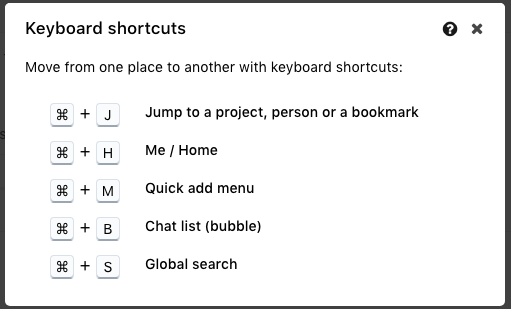
ProofHub offers keyboard shortcuts that enable users to swiftly navigate or perform tasks efficiently. Access these shortcuts by clicking the ‘Keyboard’ icon located in the left menu.
-
In order to jump to a recently viewed item, project, or person, you can use the shortcut key of control+J (command+J for Mac).
-
In order to jump to the me view/home screen, you can use the shortcut key of control+H (command+H for Mac)
-
In order to jump to the Quick add menu, you can use the shortcut key of control+M (command+M for Mac)
-
In order to jump to the chat list(bubble), you can use the shortcut key of control+B (command+B for Mac)
-
In order to jump to Global search, you can use the shortcut key of control+S (command+S for Mac)
Last updated today
Built with Documentation.AI